
Fawtara-ready ERPNext, without the rework.
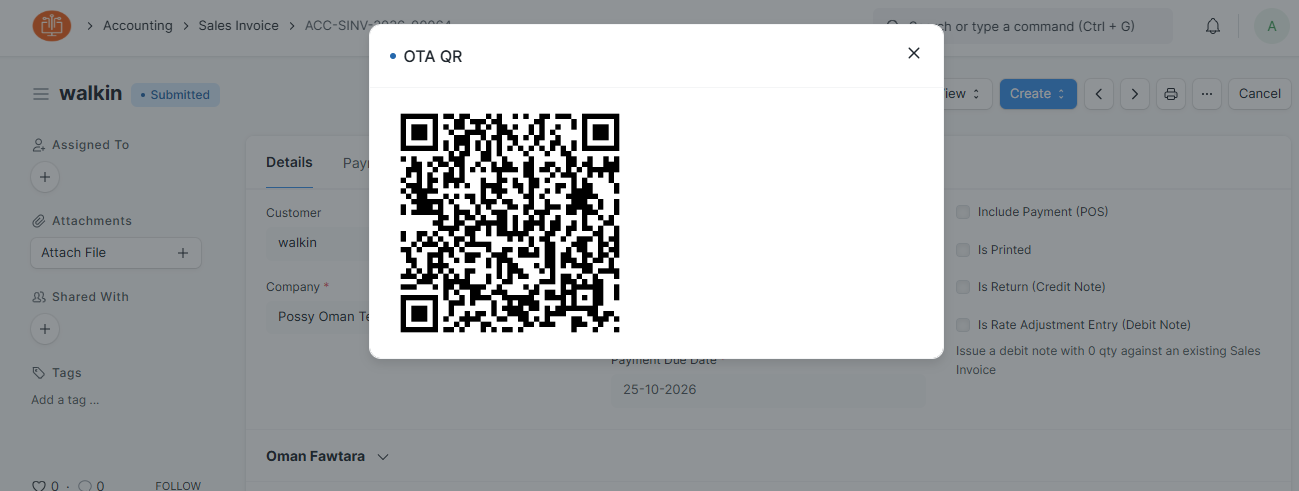
Every invoice you submit in ERPNext goes to the Oman Tax Authority automatically, with the OTA QR code on your printout.
When Fawtara applies to you
Businesses with annual supplies above OMR 5 million
All other VAT-registered businesses
After your date, paper and PDF invoices no longer count as tax invoices.
Compliance that runs in the background
Your team keeps working in ERPNext as usual. The Possy Fawtara app handles the rest.
Sends on submit
No exports or uploads. Submit in ERPNext and the rest runs in the background.
Checks before it sends
Missing VAT number, CR, HS or ISIC code? You’re told before submitting.
B2B, B2C and notes
Full tax and simplified invoices, credit notes and debit notes.
OTA QR on your invoice
The official QR code is saved on each invoice and printed with it.
Status and one-click retry
See Sent, Accepted or Failed on every invoice, with the reason.
Multi-company
Separate settings for each company. Works on ERPNext v15 and v16.
From install to go-live
Four clear steps, done with you, usually within a few days.
Install
We take a full backup of your ERPNext first, then install and activate the Possy Fawtara app. It usually takes under an hour, and your team can keep working.
Data mapping
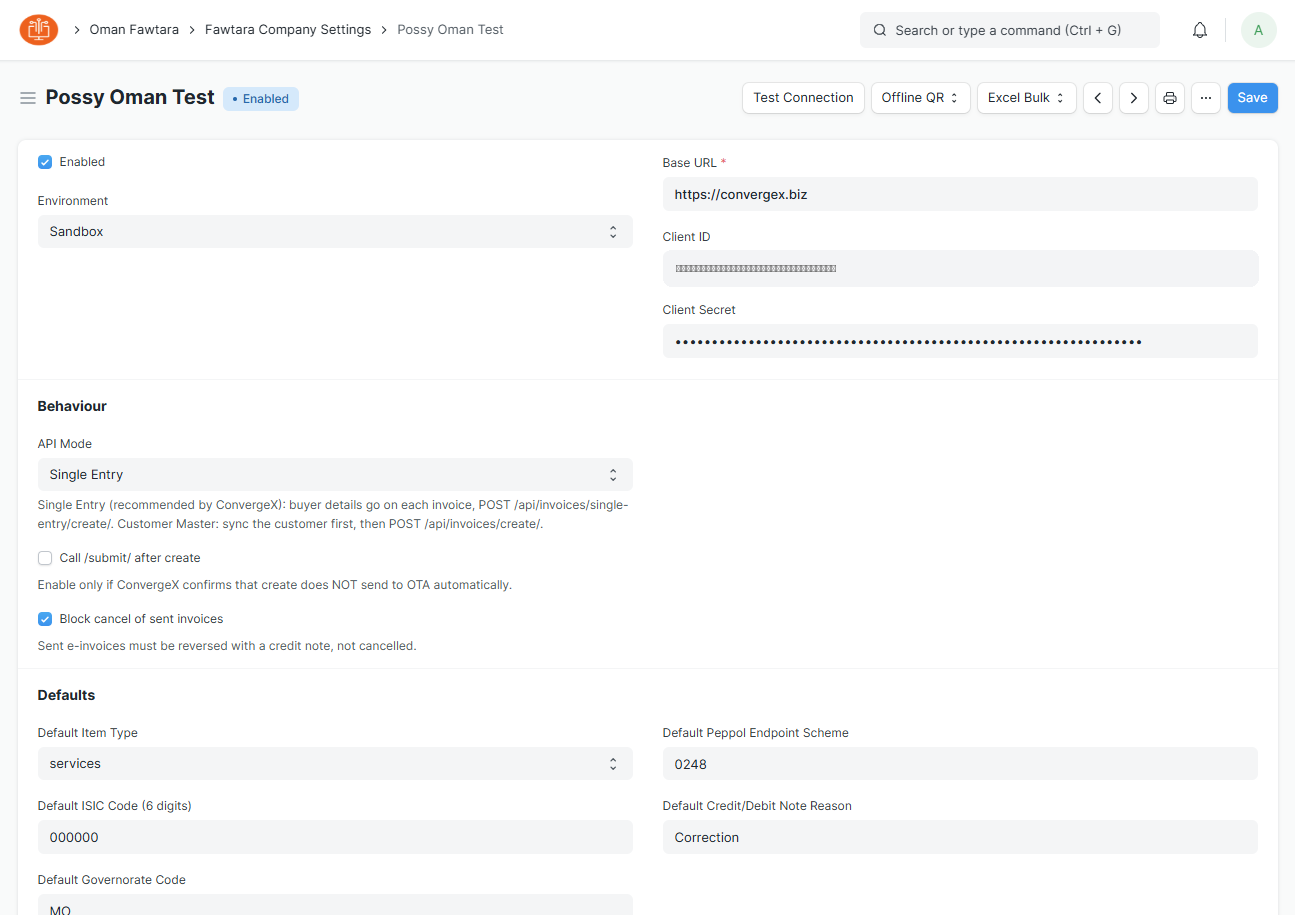
We connect your company to ConvergeX and set your defaults: VAT and CR numbers, item types, ISIC and HS codes, governorate and credit note reasons.
Each company gets its own settings, so groups with several companies are fully supported.
Sandbox testing
Before anything is real, we test your actual invoice types in the ConvergeX sandbox: tax and simplified invoices, credit notes and debit notes.
Every invoice must come back Accepted before we switch you to live.
Go-live
We switch your company to the live environment. From then on, every invoice you submit goes to the Oman Tax Authority automatically.
The official OTA QR code is saved on each invoice and printed with it.
Simple, fixed pricing
Hosted by Possy
- Initial setup
- ERPNext hosting
- Fawtara app included
- Updates and support
USD amounts at the fixed rate 1 OMR = 2.6008 USD.
Get Fawtara-ready before your date
Tell us about your ERPNext setup and we’ll plan your go-live with you.